 CoinScan
Know the coin in your hand.
Photograph a coin and CoinScan reads its design, inscriptions and date, matches it against the Numista catalogue, and shows you the evidence behind the match.
- Scan without an account
- No ads or tracking
- Evidence for every match
What CoinScan does
CoinScan is an iPhone app that identifies coin types from your photos and keeps a record of your collection.
Identify from a photo
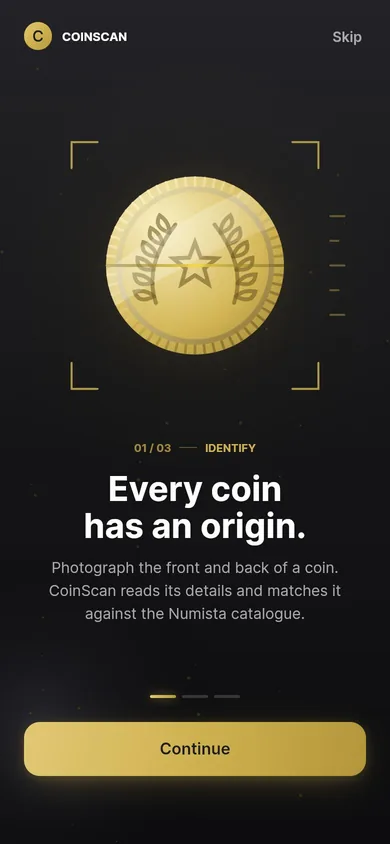
Photograph the front and back of a coin, or pick photos from your library. CoinScan checks the photo is sharp and well lit before it is analysed.
See the evidence
Each result lists the country, year, denomination and Numista catalogue number, where each detail came from, and a confidence level that tells you how much to rely on it.
Keep your collection
Save coins to your vault with their photos, your notes, purchase price and storage location, and share a PDF report of any coin.
How scanning works
Four steps from photo to result. Read the details.
Photograph
Capture the front, then the reverse. An edge photo is optional.
Read
An AI vision model reads the design, inscriptions, date and denomination.
Match
CoinScan searches the Numista catalogue and checks the details it read against the catalogue records.
Review
You see the best match, its evidence and a confidence level, and can save it to your vault.
Every result tells you how much to trust it
CoinScan compares what it read on your coin with the catalogue record and counts the details that independently agree. The confidence level follows from that count, never from how sure the AI sounds.
Details the AI read from your photo, rather than taken from the catalogue, are marked AI reading, so you always know what was checked.
- High
At least two independent details agree with the catalogue, the reverse was photographed and nothing contradicts the match.
- Medium
Some details agree. Adding the reverse or a clearer photo can confirm it.
- Low
A possible match that rests mostly on the AI's reading. Treat it as a lead to check.
- No match
The evidence is too weak, so CoinScan says it could not identify the coin instead of guessing. These scans do not count toward your daily limit.
Inside the app
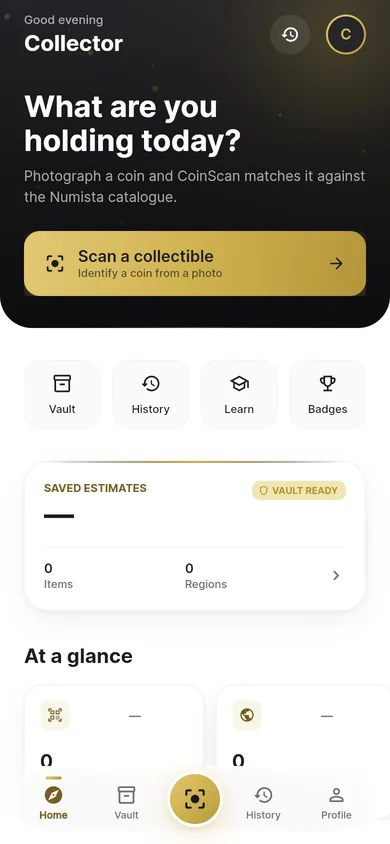
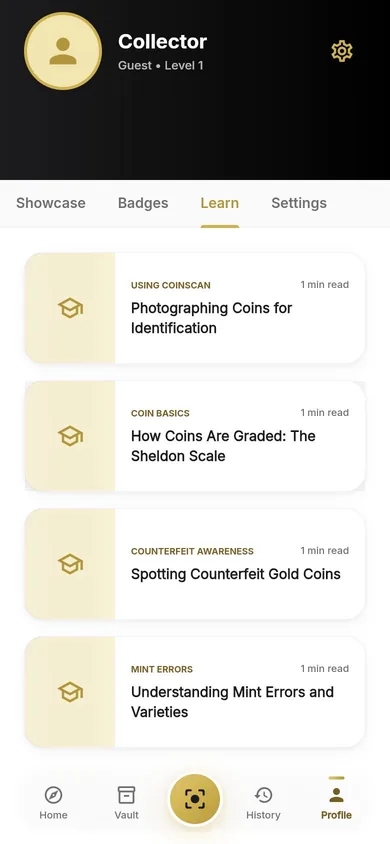
Screens from the CoinScan app, shown without the iPhone status bar.
Honest about what a photo can tell you
CoinScan identifies the type of a coin. It is careful not to promise more than that.
- It does not authenticate coins or detect counterfeits.
- It does not grade condition.
- It does not appraise coins or show collector or market values.
Private by design
- No ads, no tracking and no analytics SDKs in the app.
- Photos are analysed and not stored on CoinScan's servers. Location and other metadata are removed before upload.
- The camera is used only while you are scanning.
- Delete your account and its data from inside the app at any time.
Scan for free, upgrade only if you need more
Every feature is available on every plan. Plans differ only in how many coins you can scan each day.
| Plan | Scans per day | How you get it |
|---|---|---|
| Without an account | 2 | Just open the app |
| Free account | 3 | Sign up with email, or Sign in with Apple |
| Plus | 30 | Optional subscription, monthly or yearly |
| Pro | 100 | Optional subscription, monthly or yearly |
Scans that find no match, use an unreadable photo or hit a service problem do not count, and limits reset every day at 00:00 UTC. Every other feature is the same on every plan. Plus and Pro are auto-renewing subscriptions bought through the App Store; the current price is shown in the app before you subscribe, and you can cancel any time in your Apple account settings.
Questions
Which coins can CoinScan identify?
CoinScan matches what it reads from your photos against the Numista catalogue, which covers coins from around the world. Results depend on the photo and on the coin being in the catalogue, and some coins cannot be identified. CoinScan then tells you the result is uncertain rather than guessing.
Do I need an account?
No. Without an account you can make 2 scans a day. A free account gives you 3 a day and keeps your vault and scan history with your account across devices.
Does CoinScan tell me what my coin is worth?
No. CoinScan does not appraise coins or show collector or market values. For valuable coins, ask a professional dealer or grading service.
Can CoinScan tell if a coin is genuine?
No. A photo cannot prove a coin is authentic, and CoinScan does not try. If a coin may be valuable, have it checked by a professional authentication service.
What happens to my photos?
They are sent over an encrypted connection to CoinScan's server and to Google's Gemini API for analysis. CoinScan's server does not store them. Location and other metadata are removed on your iPhone first. Details in the Privacy Policy.
How do I delete my account?
In the app: Profile › gear icon › Settings & Account › Delete Account. What gets deleted.
Start identifying your coins
CoinScan is for iPhone. Scan without an account, and create one when you want to keep your vault.