 CoinScan
Everything in CoinScan
What the app does today, and what it deliberately does not do.
Scanning
Guided capture
Step-by-step capture of the front, the reverse and, optionally, the edge, with framing tips on screen. The front alone is enough to start; the reverse makes a stronger match possible.
Photo quality check
Before a photo is analysed, CoinScan checks it for blur, glare, darkness and low resolution and tells you what to fix, so you do not spend a scan on a photo that cannot be read.
Photos from your library
Already photographed a coin? Choose the photo from your library instead of using the camera. The camera is not needed for this.
Failed scans are not counted
If no catalogue match is found, the photo cannot be used, or the service has a problem, the scan does not count toward your daily limit.
Results
A result is the best catalogue match for what CoinScan read from your photos, never a certainty.
Coin details
Country, year, denomination, mint mark when visible, and details from the matching Numista catalogue record, with its catalogue number (N#).
Evidence and confidence
Each detail shows its source: read from your photo, or taken from the catalogue. A confidence level (high, medium, low) reflects how many details agree with the catalogue.
Shareable report
Create a PDF identification report and send it with the iOS share sheet: save it to Files, AirDrop it, mail it or print it.
Scan history
Every scan is kept in History, where you can review a past result, delete individual scans or clear your history.
Your vault
Save coins to build a record of your collection. Saving requires a free account, so your vault is kept with your account.
- Front and reverse photos of each coin
- Your own notes, purchase price and storage location
- Search, filter (for example gold or silver) and sort your coins
- Compare two coins side by side
- A map of the regions your coins come from
- Collection goals based on what you have saved
- PDF report for any coin in your vault
- Achievements and collector levels as your vault grows
Learning Hub
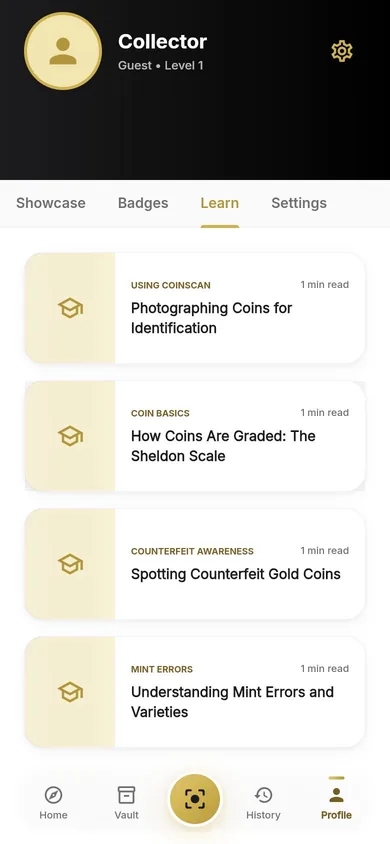
Short guides on photographing coins, the Sheldon grading scale, spotting counterfeit gold coins and understanding mint errors. They are general collecting knowledge, not measurements of your coins.
Your data, your choice
Export your vault and scan history as a file, clear your scan history, or delete your account and everything saved with it, all from inside the app. Privacy choices.
Plans
| Plan | Scans per day | How you get it |
|---|---|---|
| Without an account | 2 | Just open the app |
| Free account | 3 | Sign up with email, or Sign in with Apple |
| Plus | 30 | Optional subscription, monthly or yearly |
| Pro | 100 | Optional subscription, monthly or yearly |
Scans that find no match, use an unreadable photo or hit a service problem do not count, and limits reset every day at 00:00 UTC. Every other feature is the same on every plan. Plus and Pro are auto-renewing subscriptions bought through the App Store; the current price is shown in the app before you subscribe, and you can cancel any time in your Apple account settings.
What CoinScan does not do
So you know exactly what to expect.
- Authenticate coins or detect counterfeits.
- Grade a coin's condition. Any condition you record is your own note.
- Appraise coins or show collector, auction or market values.
- Guarantee a result: identifications can be wrong, so check important ones yourself.